

Collect signatures in Google Docs
Still relying on paper for permission slips or contracts? Do this instead...

It’s amazing how much paper is used every day which is then scanned into a computer before being thrown away or archived somewhere.
I see so many companies paying for an extra product to do this when the functionality is already right inside Google Docs.
Collect eSignatures quickly and easily
Find a contract or letter with permission slip to give this a go.
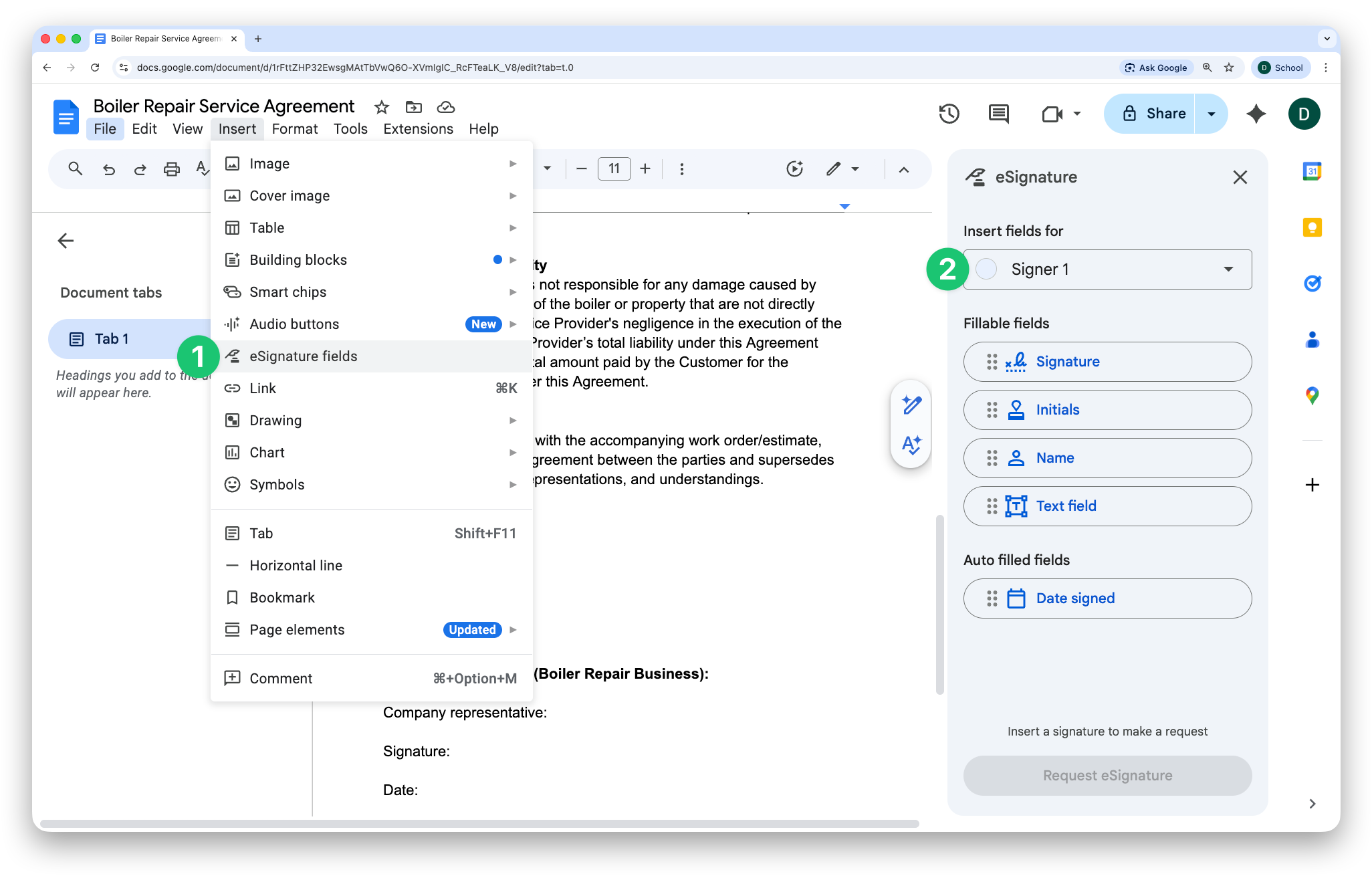
Go to Insert > eSignature Fields
Click the dropdown and choose ‘Manage signers’
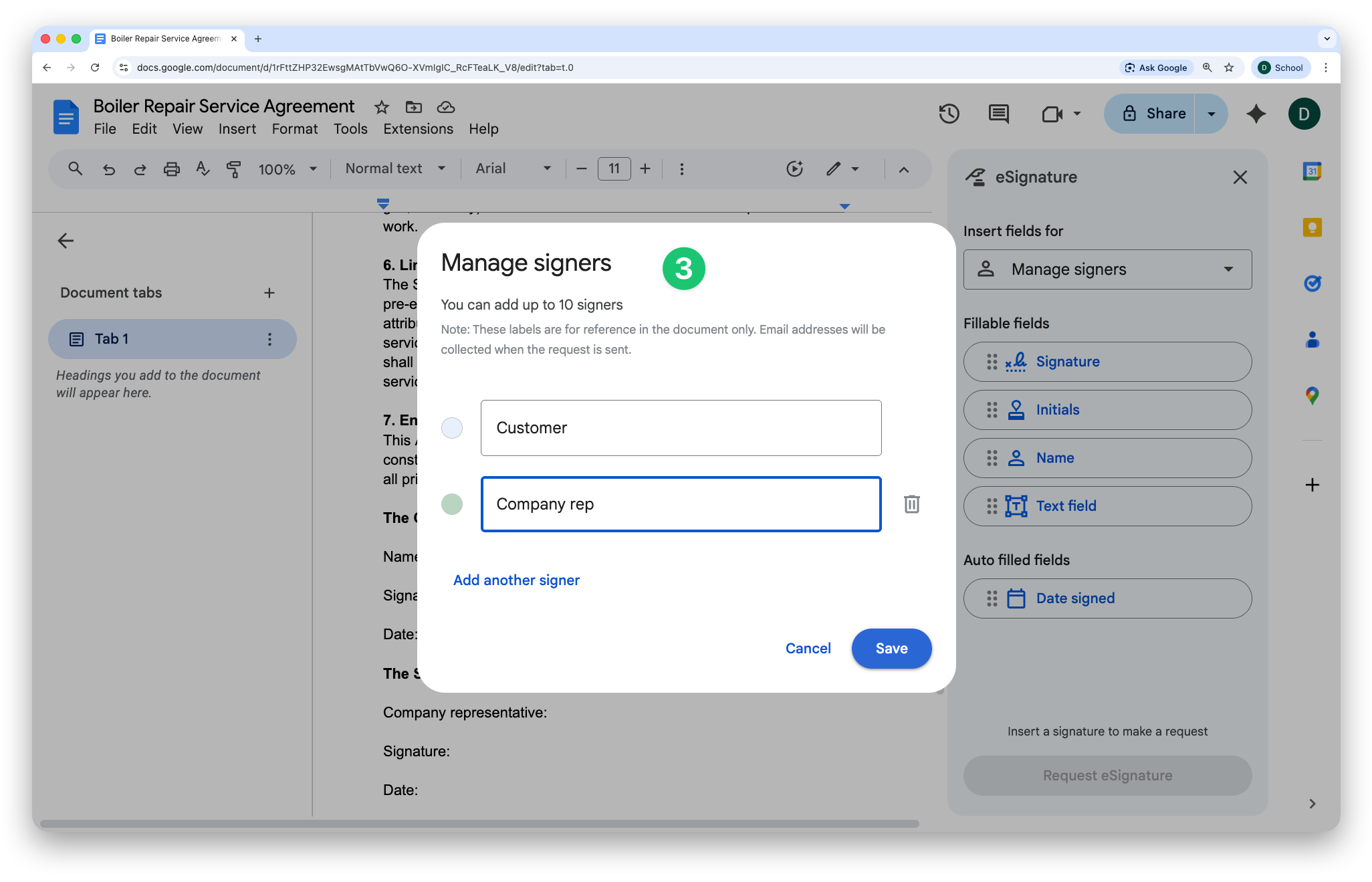
Change the name of the signer, add more if you need to (e.g. customer and company rep), then click ‘Save
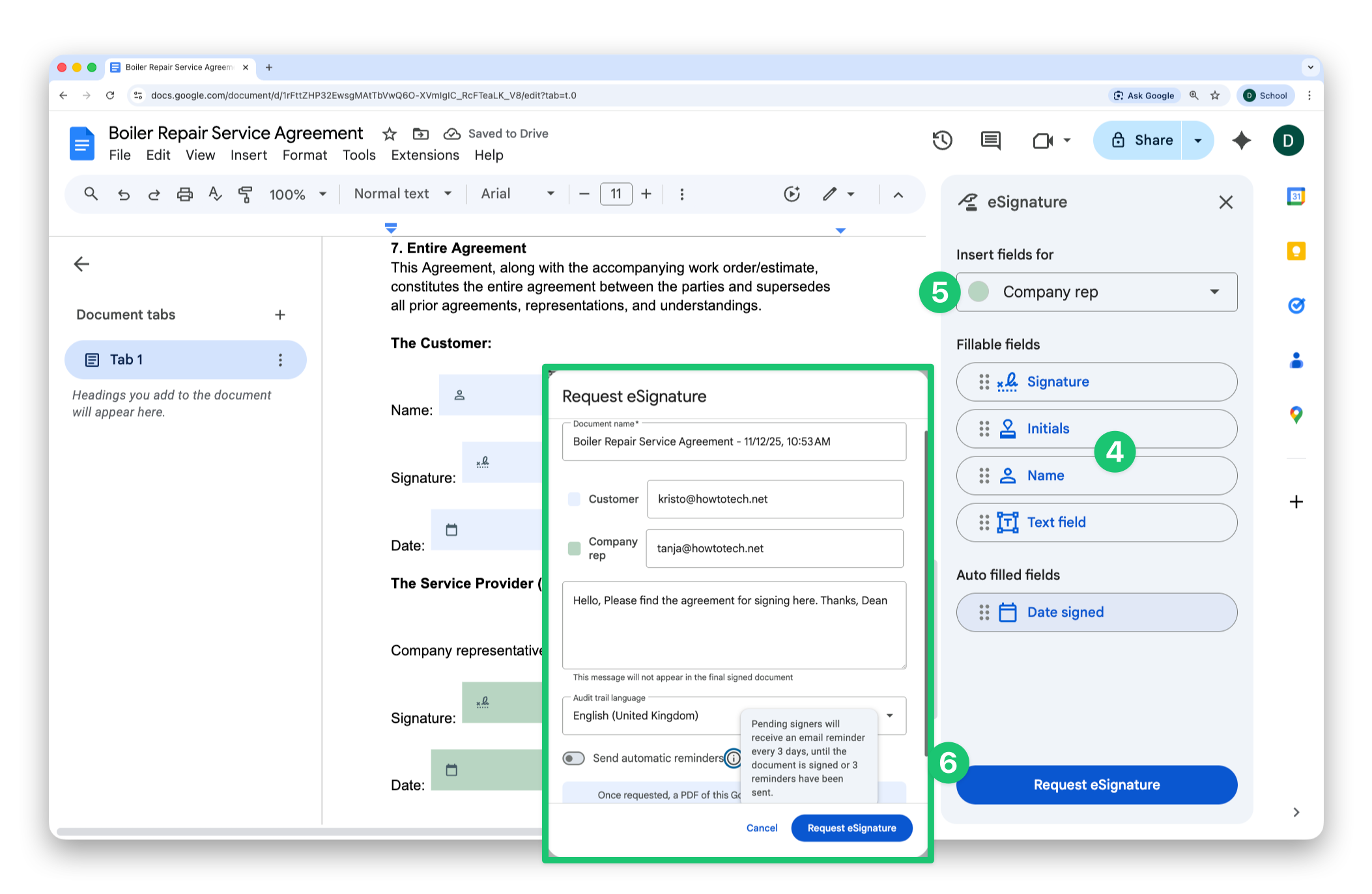
Find the correct positions in the document and click to add the relevant fields (signers won’t be able to edit the document itself, so make sure you use the name or text fields where relevant)
[Optional] If you have multiple signers, choose the next one in the dropdown and repeat the last step
Click ‘Request signature,’ enter the relevant email addresses, an optional message, a language and decide whether to enable automatic reminders
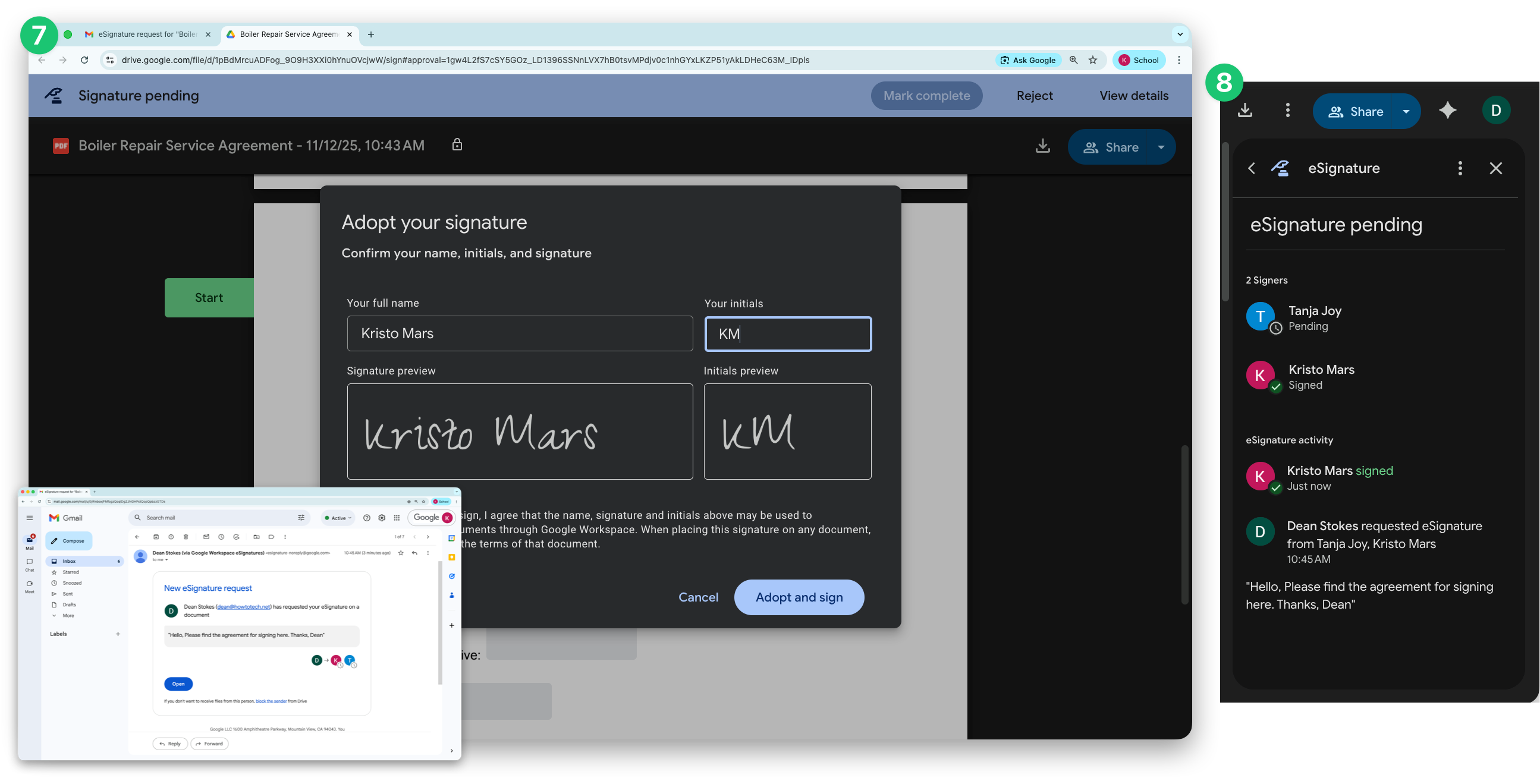
A PDF is created and sent to the signers for signing
Once signed, the audit trail can always be seen by the creator
I know that looks like a lot of steps but it is easy to setup! I think there are just a couple of minor limitations to be aware of (that are unlikely to be a problem for small businesses):
You can’t set the order people sign in - they all get the notification at the same time
You can’t send in bulk - you’ll need to do step 6 each time
In terms of the legality of electronic signatures, this feature is compliant with relevant regulations (more info here).
What should I cover next week? Click reply or leave a comment and let me know!
Dean