

Gemini can now create beautiful presentations
Turn any document or spreadsheet into a set of slides with a single prompt

Are you a Google Workspace administrator? Automate routine tasks and get more visibility and control over users’ data and settings with gPanel. Get a month free when you schedule a demo with this special link (advertisement).
Back in my role at Google, I was creating a new internal slide deck every week. Whether it was spinning up a new project, sharing ideas, or laying out budget, it was usually a case of taking information from a document or spreadsheet (or both) and formatting it into a functional presentation for coworkers or leaders.
Now, Gemini can do the grunt work (and I’ve been really impressed whilst testing it)!
Turn anything into slides
Here are the quick and easy steps:
Quick note: this feature is hot off the press and still rolling out, so if it doesn’t work for you yet, try again in day or two.
Go to Gemini, click the ‘Tools’ menu and choose ‘Canvas’
Write a prompt starting with ‘create a presentation’ (and optionally add more instructions if you want to, like notes on the fonts, colours, etc)
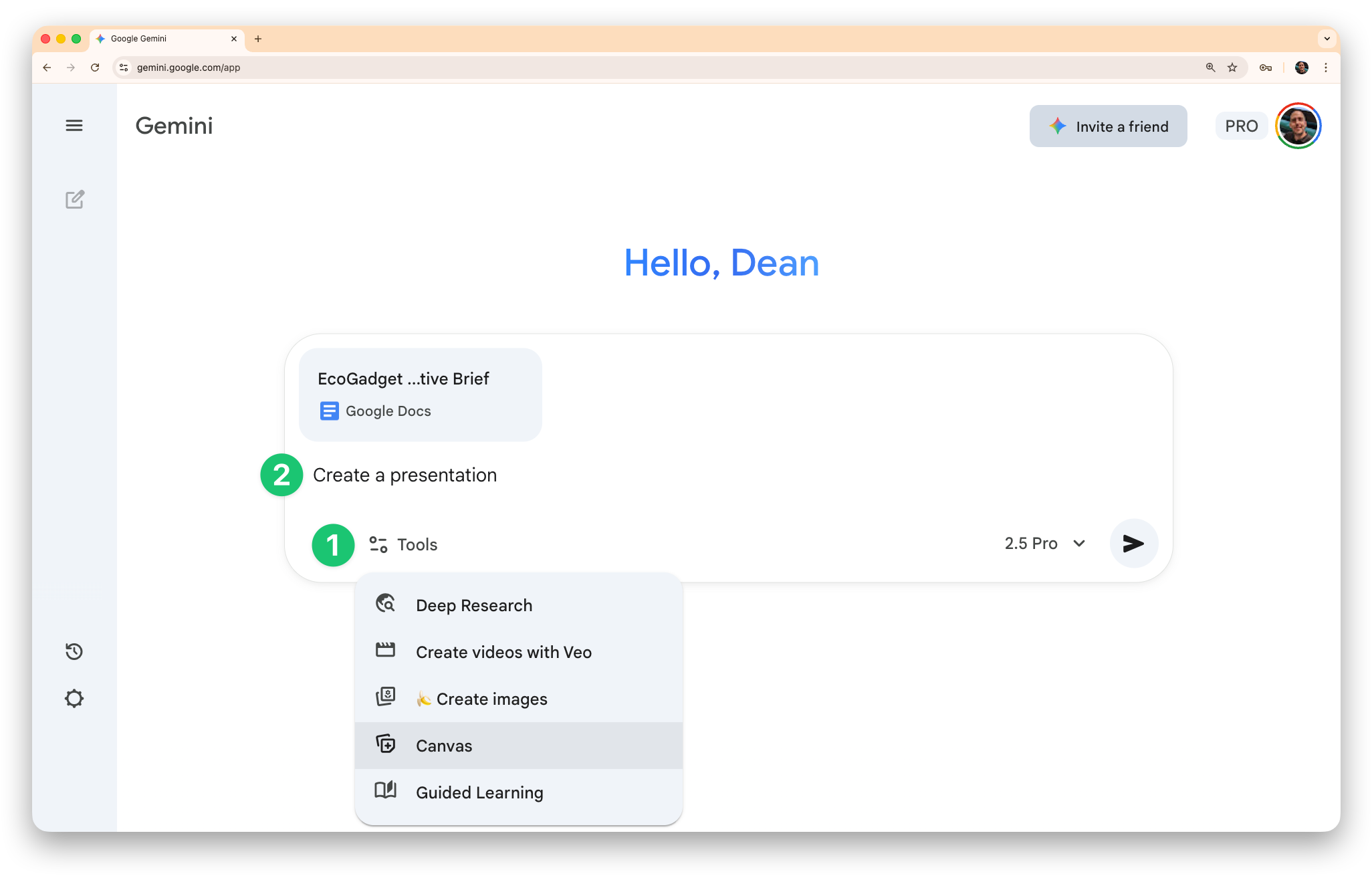
[Optional] Write follow up prompts to have Gemini make edits (e.g. adding/removing slides/info, updating the design, etc)
Click the ‘Export to Slides’ button to get the editable version for you to edit, present or share
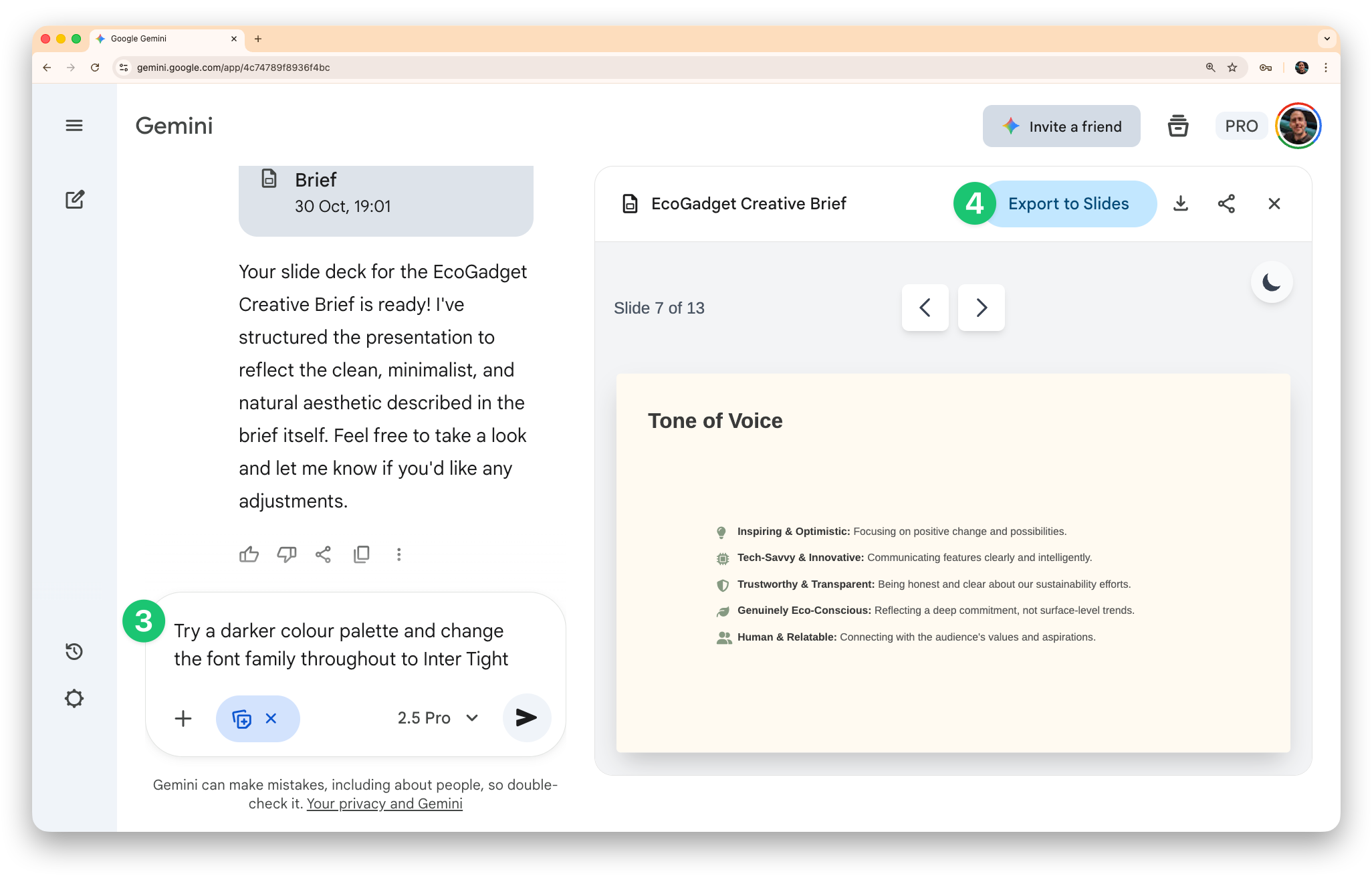
Gemini adds images to these presentations and they’re always sourced on the final slide if you want to double check licence permissions.
Example use cases
Project overviews
Take a document you have with your outline and get a head start on the slides for presenting to the team. (Try this by copying an example document here.)
Product feedback breakdown
Provide a spreadsheet of form responses and get a presentation which breaks down the feedback. (This is particularly useful if there’s a lot of text responses.)
Financial summaries
Give Gemini a spreadsheet of financial results (or even your budget) and it’ll lay everything out nicely in slides for you.
Client training plans
Attach the document with the plan outline and receive beautiful slides in return. (Try this by copying an example document here.)
Here are a couple of example designs from my testing:
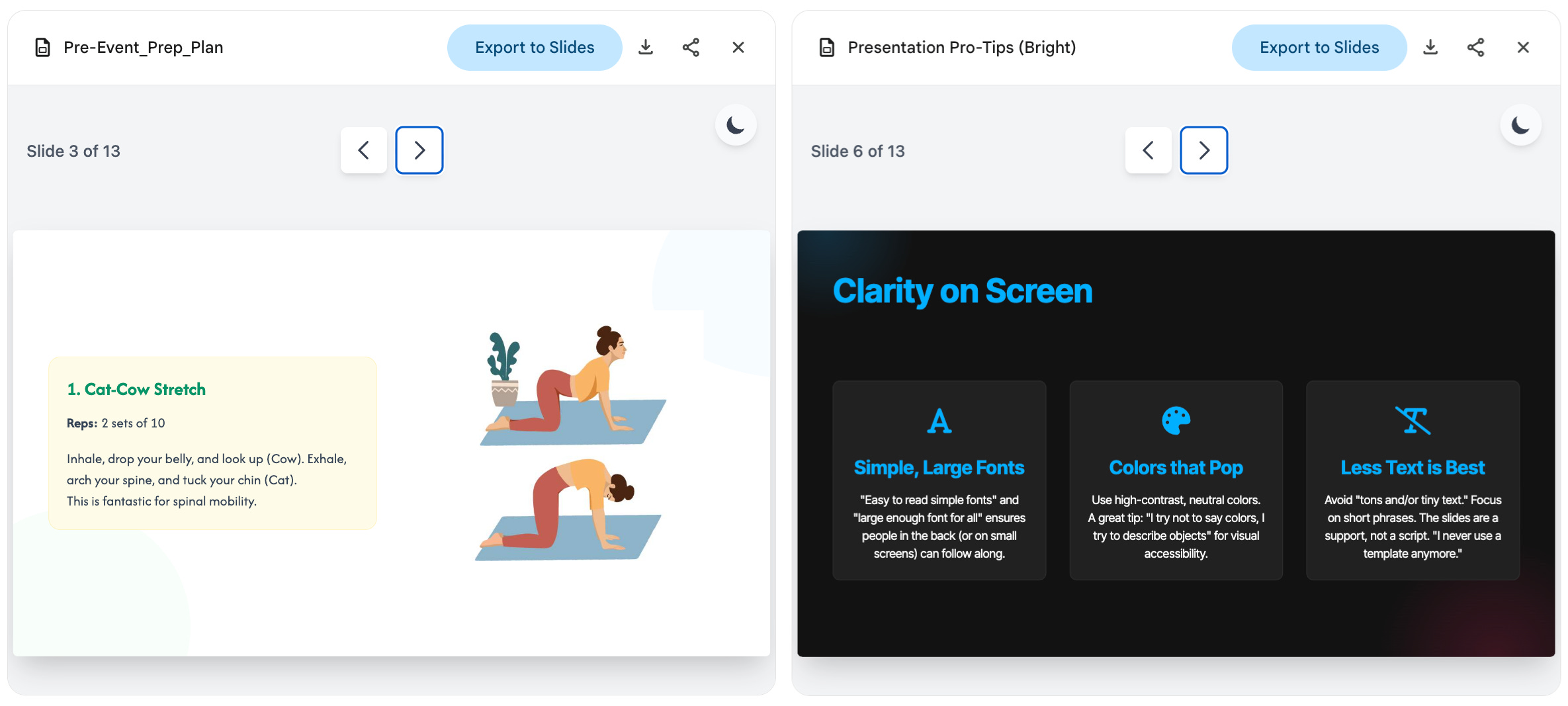
Honestly, I think this is one of the most compelling use cases for generative AI being genuinely helpful in day to day work.
How will you use this? Let me know by leaving a reply below, or simply show some love with the like button!
See you next week.
Dean